ConnectServices introduces a new editing mode for network design and updates
The ConnectServices GIS platform is expanding with a key new feature: editing mode
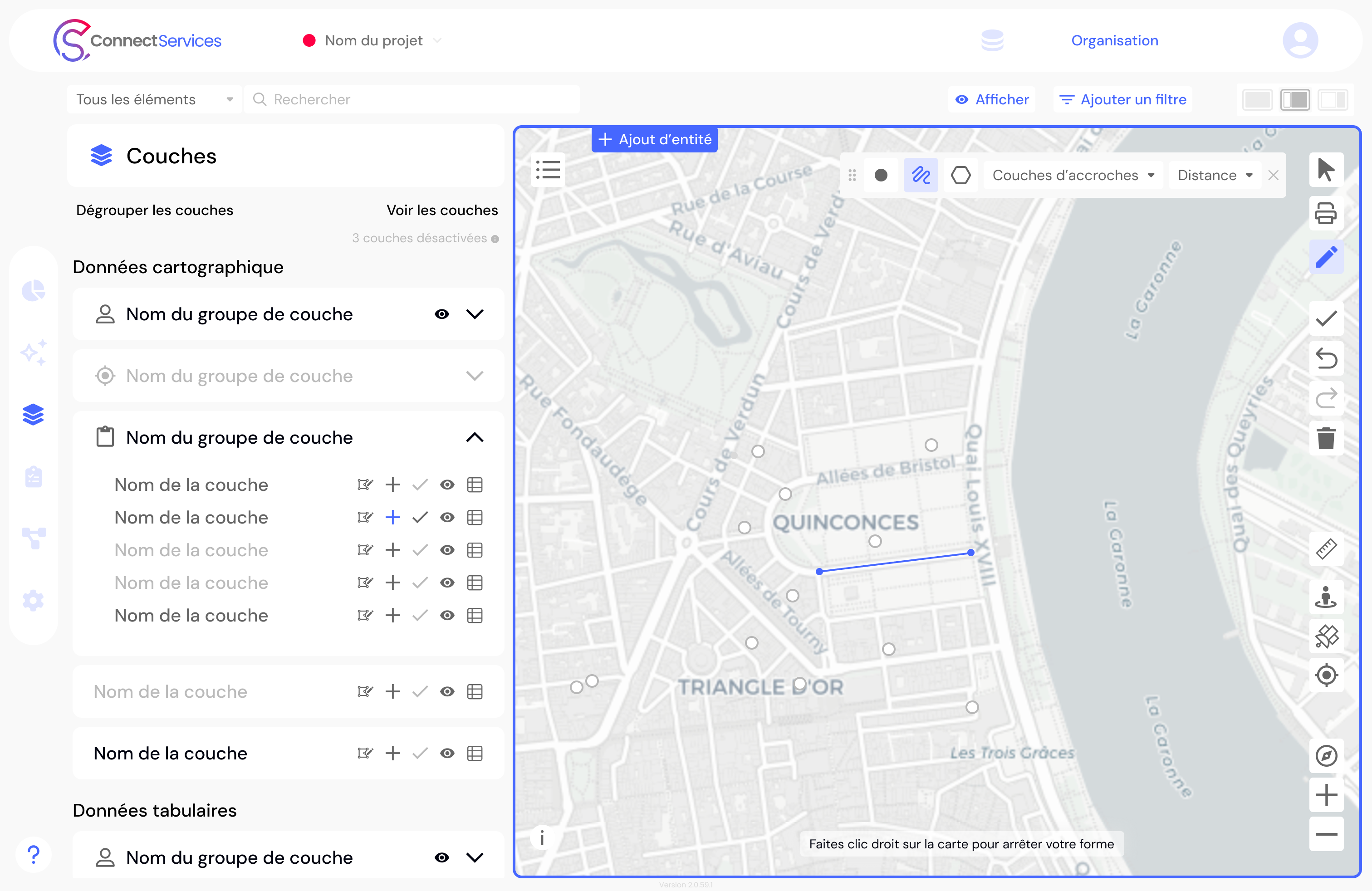
You can now create, modify, and update your networks and infrastructure directly within the Web GIS platform, without switching tools.
Map your assets with precision and easily model your networks.
Dotic is taking ConnectServices a step further with the integration of a complete editing mode, designed to meet the operational needs of network operators and infrastructure managers.
Previously dedicated to data visualization, monitoring, and distribution, ConnectServices now also enables users to design and evolve their networks directly online. As a complete GIS platform, ConnectServices now supports the entire lifecycle of your network through an intuitive and fully autonomous user experience.
A practical solution for geospatial data update challenges
The quality of territorial data depends on its ability to remain up to date.
With the new editing mode, users can now:
- create a network or network extension;
- modify the geometry and attributes of an asset;
- update the status of equipment;
- remove obsolete data.
This new feature applies not only to utility networks (fiber, energy, water, etc.) but also to any type of geolocated asset, including urban equipment, street furniture, trees, and more.
Map, model... and leverage your data within a single Web GIS platform
One of the key advantages of this evolution is that everything is managed within the same interface.
There is no longer any need to switch between a desktop GIS to edit data and a web platform to use it.
With ConnectServices, data creation, updating, and operational use are all unified within a single environment.
The interface has been designed to be:
- intuitive;
- quick to learn;
- accessible to operational and non-technical users.

Take control of the entire lifecycle of your infrastructure data
The editing mode includes key features designed to ensure data quality and operational efficiency:
- geometric and attribute editing (map and table views);
- bulk data editing;
- snapping tools for precise editing;
- topology rule management;
- conflict management for simultaneous edits;
- editing session logging and tracking.
Data remains fully interoperable, with export options available in Shapefile, CSV, GeoPackage, KML/KMZ, and GeoJSON formats.
ConnectServices: the complete GIS solution for managing and leveraging your infrastructure data
With the new editing mode, ConnectServices reinforces its position as:
a collaborative, business-oriented GIS solution designed to meet the needs of network operators and infrastructure managers seeking autonomy and ease of use, while covering the entire data lifecycle — from network design to operational management.